|
Transsexual
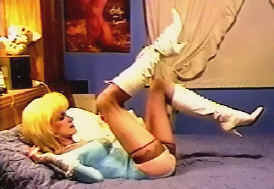
Supermodel Anna Alexandre



These
were found on the Web. When you <click> on [Web], you will
be able to see the video on
that
site's Adobe FlashPlayer. I have made the .flv
files available for download to store on your
PC (in
case the [Web] site ever goes away.
Note that WindowsMediaPlayer cannot play them.
The
best media player I have ever found is VideoLan.
It is absolutely free with no adware or
malware.
And it can play ANY video/audio file in ANY
format. It can be downloaded here.
Just
<click> on the .exe file to install it on your computer.
It will be one of the best things
you've
ever done. (I tried using VideoLan's 'Convert/Save' option to
convert the .flv files to
.mpg or
.mp4 . But there was a loss of clarity and resulting pixelation.
Best just to install the
VLC
player to play the .flv file if you don't already have FlashPlayer
on your PC.)
1. "Anna
Alexandre Behind The Scenes" => [Web]
[download
FlashPlayer .flv file]
2. "Beautiful Tranny stripping outdoors and jerking" =>
[Web]
[download
FlashPlayer .flv file]
3. "Long-haired Dolly jerks at home" => [Web]
[download
FlashPlayer .flv file]
4. "Busty
shemale babe is jerking off" => [Web]
[download
FlashPlayer .flv file]
5. "Skinny
blonde shemale Anna Alexandre jacking big cock"
=> [Web]
Anna's
Photo Page ==>>
Anna.htm
==>> Press the <BACK> button on your Browser to return here when
you're done viewing <<==
|